Forward the plan.
Secy’s got it.
Send travel details, reminders, invitations, and schedules to your personal @myaisecy.com address. myaisecy turns them into calendar events, reminders, and a weekly digest. See the results in Google Calendar, Apple Calendar, or Outlook.
Private beta. Join with your Invite Code.
Create your address, verify your email, and manage everything from the myaisecy app.
Built for real life logistics
One workflow for personal, family, and team coordination.
Personal
Forward appointments, dinner plans, and logistics. Get a Sunday summary of what Secy resolved.
Family
Send school schedules, sports calendars, camp PDFs, and screenshots. Keep your household schedule together.
Team
Forward seminar invites, client meetings, milestones, and scheduling emails so your group stays coordinated.
Real example — a screenshot forwarded to Secy created three league games with correct locations and times:
You sent
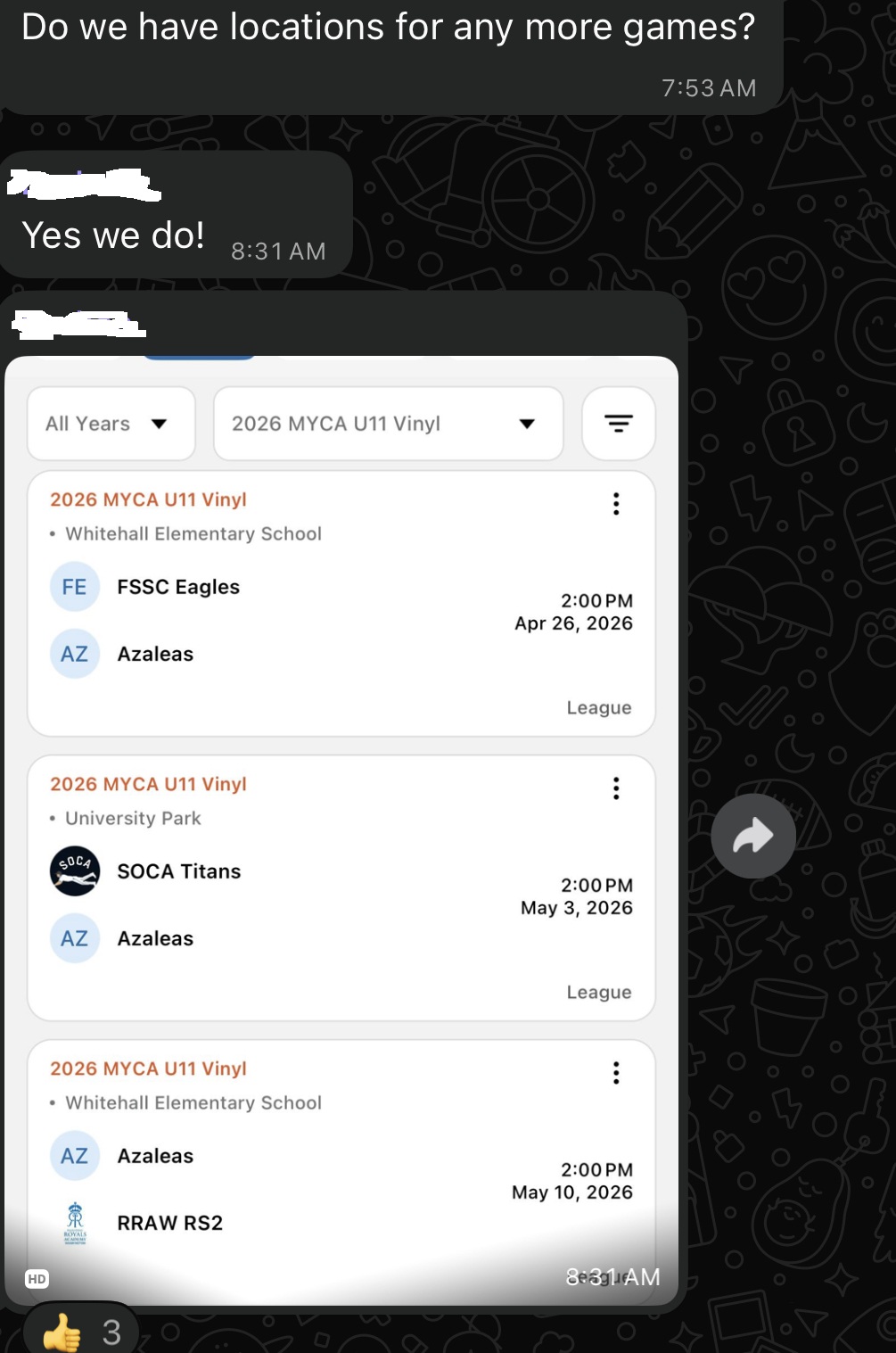
Secy created
How it works
Send the email, let Secy interpret it, and get the result in your calendar.
Claim your address
Choose your personal username@myaisecy.com address and forward plans or itineraries to it.
Secy reads it
Secy reads the email or image, pulls out the details, and writes the event to your calendar.
Sync & Review
Events appear in your calendar, and you receive a Weekly Digest every Sunday evening.
Example: Forward: "Dinner Thursday at 7 at the Bountiful."
Result: Added as a calendar event with the date, time, and title ready to go.
Zoom, Google Meet, and Microsoft Teams links are pulled from invites automatically.
Forwarded from Gmail, Outlook, Apple Mail, or a messaging app. If it has a date and place, Secy can usually figure it out.
Send a photo, flyer, or screenshot. Secy reads it and creates the events.
To reschedule, email Secy: "Secy-note: Dinner at the Bountiful has moved to Friday at 8." Secy finds the event and updates it.